
Why two modes are needed
- Wallet — the mode of a “regular” crypto wallet: balance on the blockchain (TON, staking, tokens, Solana if needed), transaction history on the network, app browser, general app settings.
- Cards — Tonhub Cards (Holders) mode: balance for Holders cards and accounts, card and account transaction history, AI chat, Holders settings (cards, accounts, IBAN, etc.). Convenient when the user mainly uses Holders cards and accounts rather than the “raw” wallet on the blockchain.
Wallet Mode
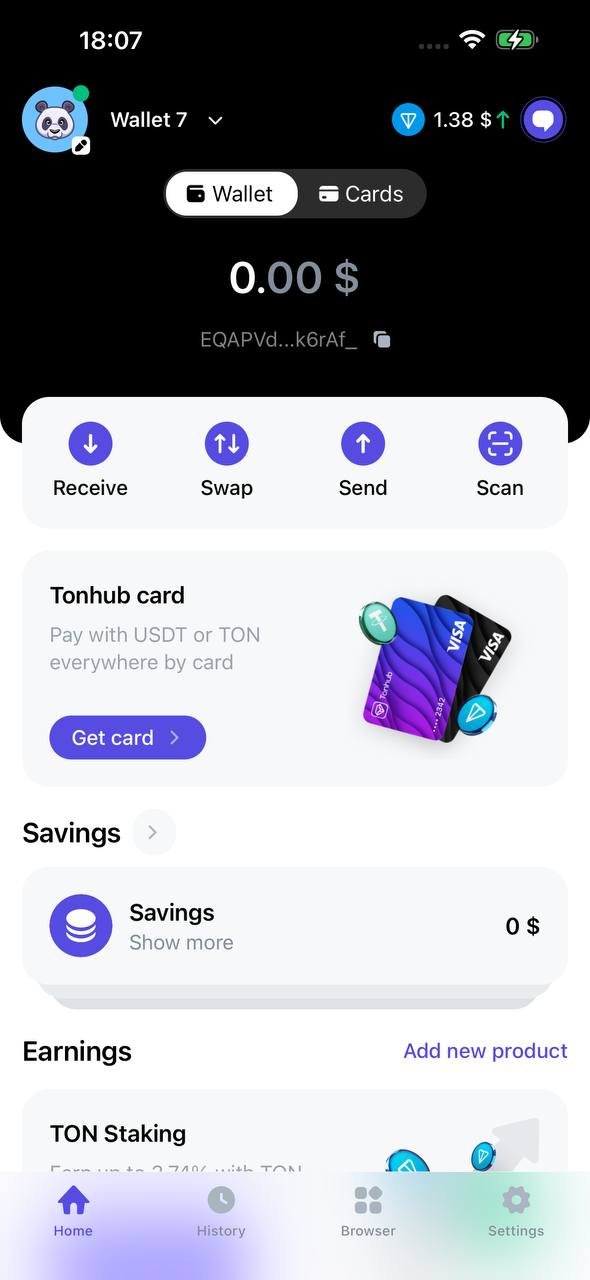
What you will see on screen:
- Card with total balance in dollars or other currency (card background is black):
- Money in savings accounts
- Funds in staking
- Wallet address (TON or Solana).
- Operation buttons: Receive, Send, Exchange.
- Home — main screen with balance and available products (savings, staking, tokens).
- History — all your blockchain transactions.
- Browser — catalog of decentralized applications.
- More — general app settings (theme, language, currency, security, contacts, etc.)
Cards mode
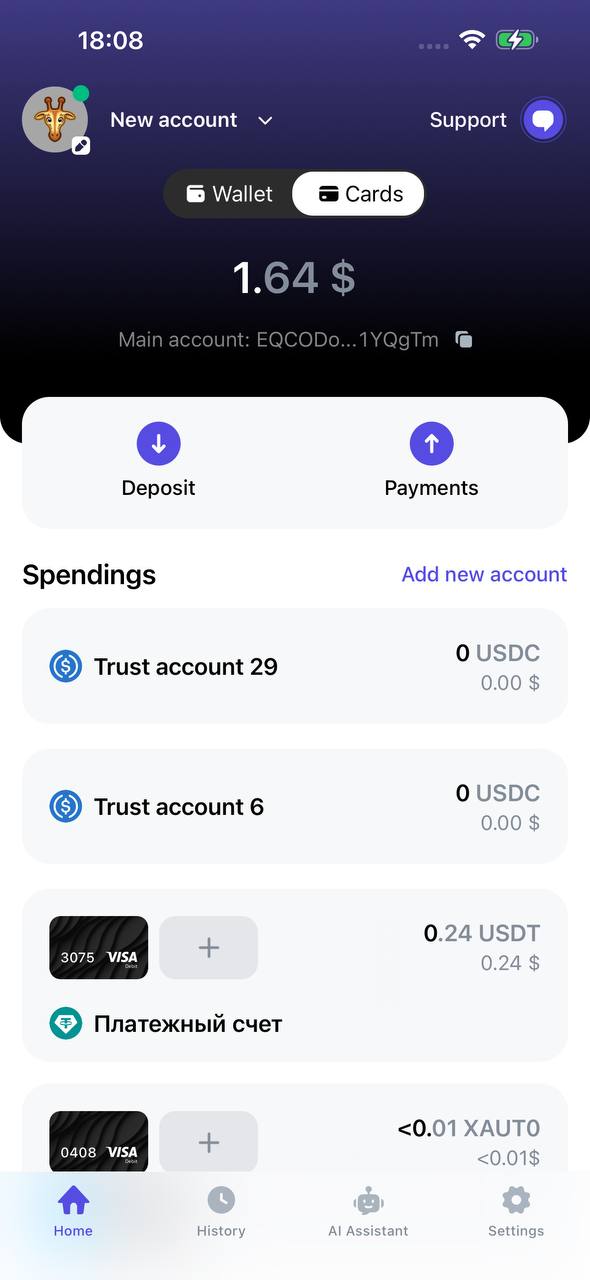
What is shown:
- Balance card: sum of Holders accounts and cards (converted to fiat), not the TON balance in the blockchain. Card background is blue.
- Caption under balance: if a Holders account is created — “Main account” and the address of this account; otherwise — “Owner” and wallet address.
- Action buttons are the same (Receive/Top up, Send, etc.), but the context of tabs and products is oriented towards Holders.
- History — list of operations for Holders cards/accounts (top-ups, debits, transfers between accounts, etc.). Wallet blockchain history is not shown here.
- AI chat — tab is available (if user is already registered in Holders, not shown in “registration required” state).
- More — Holders settings, not general app settings.