
Card Operation Types
Supported Operations
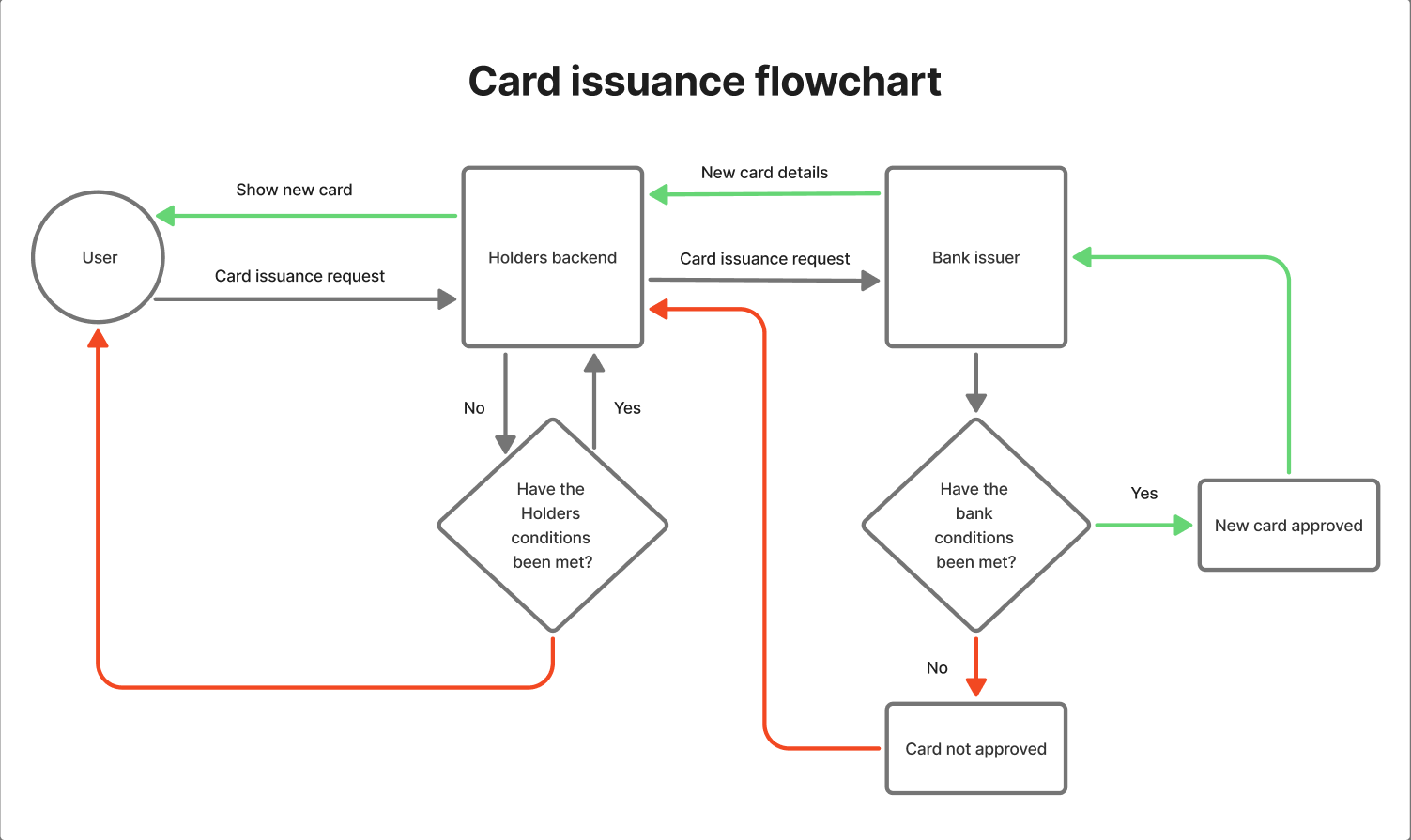
- Card Opening – issuance of a new bank card and its linking to a client’s account with assignment of credentials and initial status (usually ACTIVE).
- Card Blocking – hard stop of all card operations (without possibility of unblocking), typically in cases of fraud, data loss, or bank/service decision.
- Card Closure – final termination of card validity: no more operations can be conducted with it, it is hidden from the user interface and cannot be restored.
- Card Freezing – temporary suspension of card operations initiated by the client or service, with the possibility to subsequently “unfreeze” and return the card to active status.
- Refund – operation where a merchant or service returns previously charged funds from the card (fully or partially) to the same account.
- Card Transfer Between Accounts – unlinking a card from one account and linking it to another account of the same user while preserving the card credentials.
- Adding Card to Contactless Payment System – linking a card to a digital wallet (e.g., Apple Pay, Google Pay) with token issuance, which allows paying for purchases from a device without using card credentials directly.
Unsupported Operations
- Cash Withdrawal – client obtaining cash at an ATM or cashier using funds from the account to which the card is linked. Currently (4/02/2026) not supported within the product.
- Card Reissuance – procedure of issuing a new bank card to replace an existing one (in case of expiration, credential compromise, or personal data changes) while maintaining the link to the client and account. Currently (04.02.2026) this function is not supported within the product. As an alternative to reissuance, users are provided with the option to open a new card.
- PIN Code Change - PIN code change function is available only for physical cards. Currently physical cards are not supported, however the Wallester API provides for the possibility of PIN code changes in the future.
- 3D-Secure Password Change - in the Holders application, users can view and copy the 3D-Secure password, which may be required when making online payments. The 3D-Secure password change function is currently not implemented.
Card Opening
New card issuance is available in two variants:- Issuance simultaneously with opening a new account. The user’s first card in the service is issued free of charge.
- Issuance to a previously created account. Issuance of second and subsequent cards is a paid service costing 7.92 EUR. The commission is charged from the client’s balance at the moment of confirming new card issuance. If there are insufficient funds on the balance, card issuance is postponed until the account is topped up with the necessary amount and is carried out after reserving the required funds.
Conditions for Opening a New Card
- Corresponding products are available for the client’s residency at the time of card creation
- The client’s balance has sufficient amount to pay for card issuance (except for the first card)
- The client’s profile has passed KYC verification procedure
- The card issuance limit for the user (up to 50 cards) or issuer has not been exhausted
Card Opening Flowchart
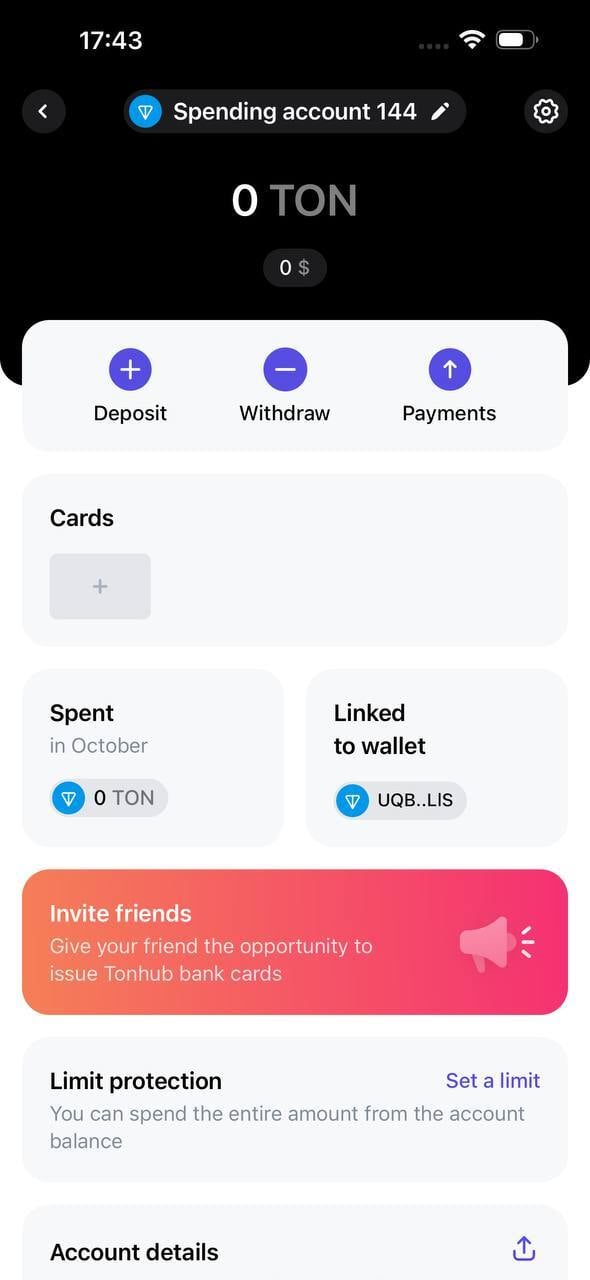
Opening a card in the interface
- In the account interface, you need to click on the ”+” icon on the gray card in the Cards block
-
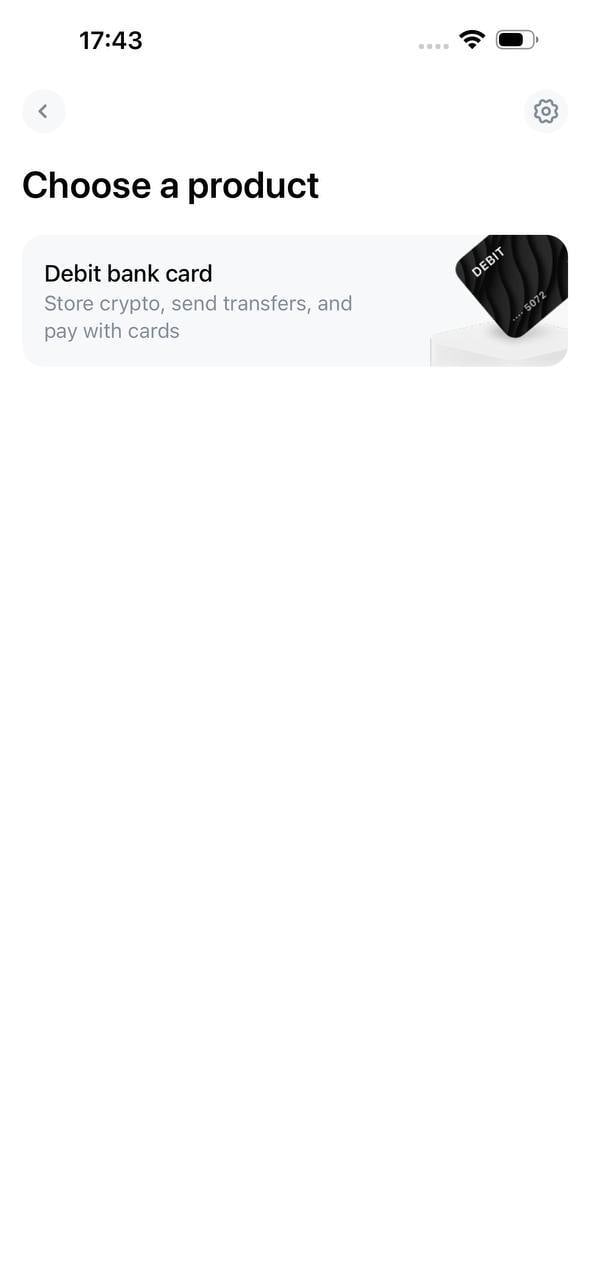
In the opened menu, select the required type of card product
- Review the user agreement and sign it
-
After creating the card in the system, a suggestion to add the card to the contactless payment system will be displayed
- All data of the issued card will be available on the card page
Card Blocking
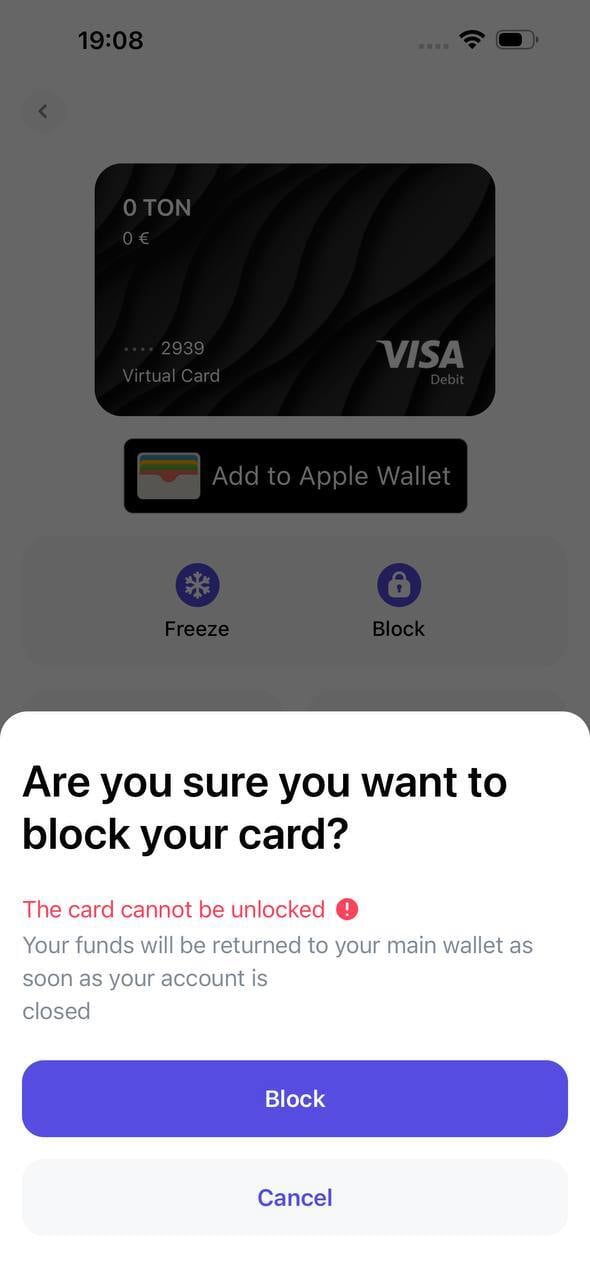
Card blocking is applied in cases where the user or issuing bank suspects fraud or compromise of the user’s bank card credentials. A card may also be blocked by the issuing bank when making payments at prohibited merchants (typically after repeated violations).Unlike freezing, blocking is an irreversible operation. A blocked card remains visible in the application interface, however: all authorizations and charges are terminated, the card cannot be used for either online or offline payments, and the card cannot be added to contactless payment services.
Why use blocking if you can close the card?
Blocking is applied as an intermediate measure for immediate cessation of operations in cases where card closure is premature or inadvisable. Main usage scenarios:- Conducting investigations
- When fraudulent operations are suspected, in disputed transactions, or during checks within the framework of anti-money laundering and sanctions compliance, it is necessary to immediately suspend operations until the investigation is completed.
- Technical and operational requirements
- Card closure in the system represents an irreversible action that can affect reporting, data archiving, and integration functionality. Blocking ensures:
- immediate disconnection of payment functionality;
- preservation of the card as an object for maintaining operation logs, conducting investigations, and generating reports.
Interface
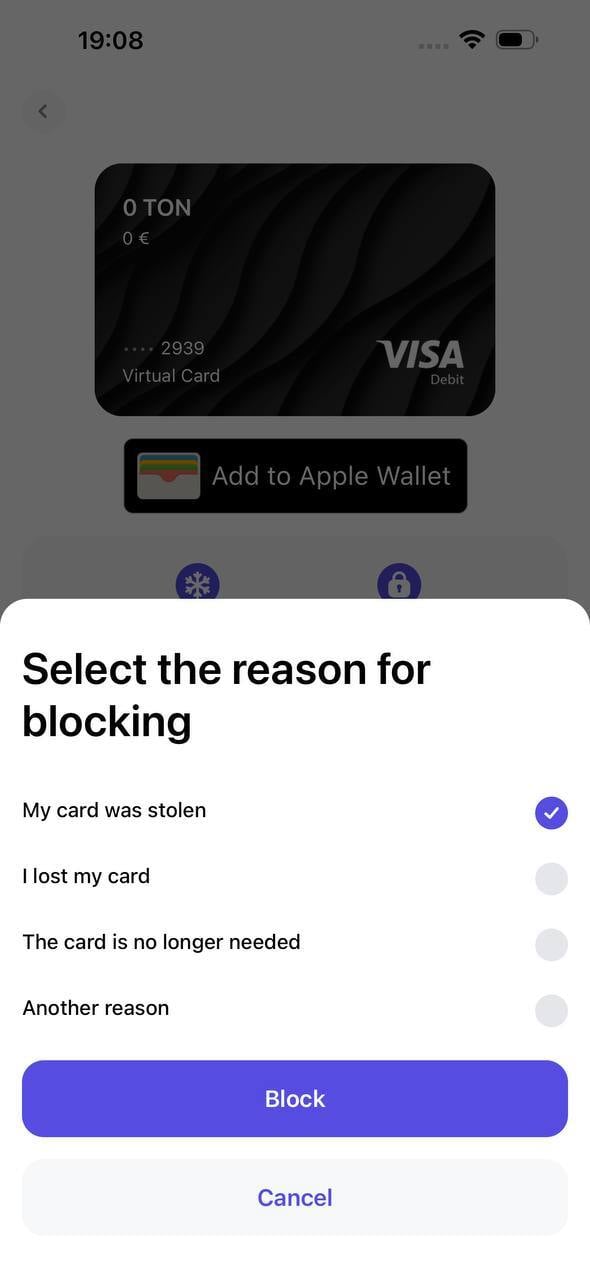
- To block a card, the user needs to go to the card page and click the Block button.
-
The user selects the reason for blocking and confirms the operation.
Card Closure
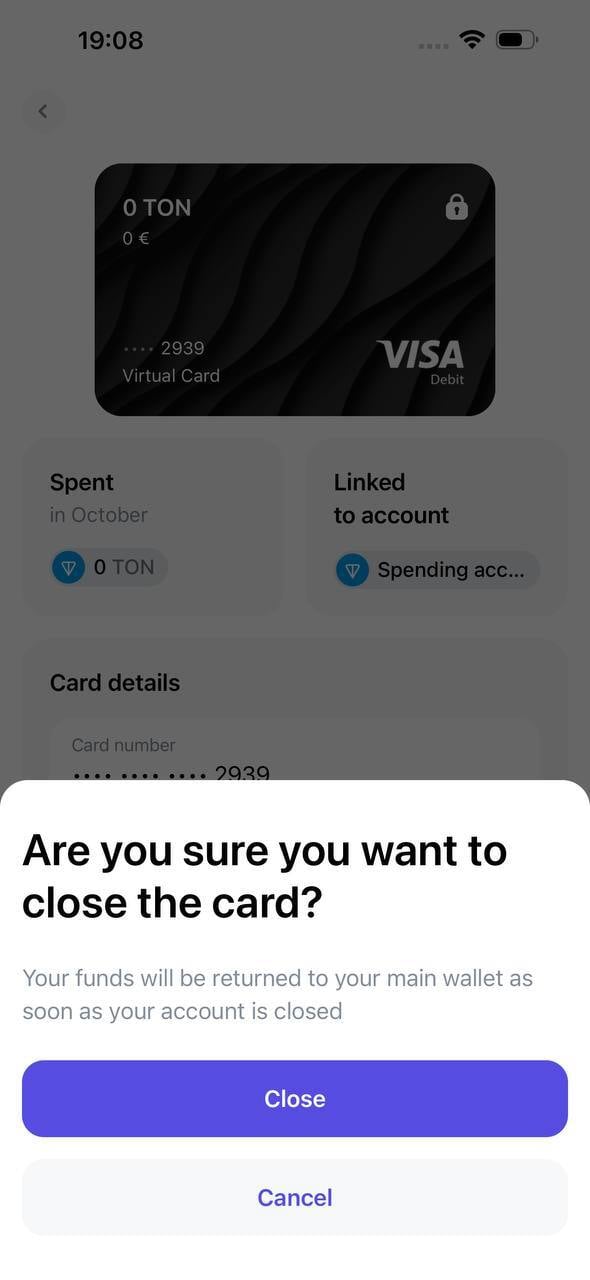
Any card linked to a user’s account is subject to closure. The card closure operation is irreversible and results in the card being removed from the user interface — access to its data for further use is terminated. Only cards with blocked status are subject to closure.Interface
-
The user clicks the Close card button on the blocked card page and confirms the closure.
Card Freezing
Freezing allows you to temporarily suspend all charges and authorizations on the selected card. Unlike blocking, freezing can be canceled by the client at any time. Freezing can be initiated by either the client themselves or by Holders company in case of questions or problems, for example, when user documents expire. Freezing is performed on the card page similarly to the blocking process.Refunds
A card refund is an operation where a merchant or service returns previously charged funds from the card (fully or partially) to the same account. The refund does not depend on the card with which the operation was made; funds are returned to the client’s account regardless of the card status (closed, transferred, or blocked).Card Transfer
Card transfer from account to account is an operation where an existing card is unlinked from one user account and linked to another user account while preserving the same card credentials.In the context of operations, it is important to record:
- all previously completed transactions and refunds remain in the old account history;
- all new authorizations and charges after the transfer are reflected on the new account;
- refunds for old operations should be credited to the account that is technically considered “settlement” for this card at the time of actual clearing (this behavior needs to be explicitly described in the business logic).
Interface
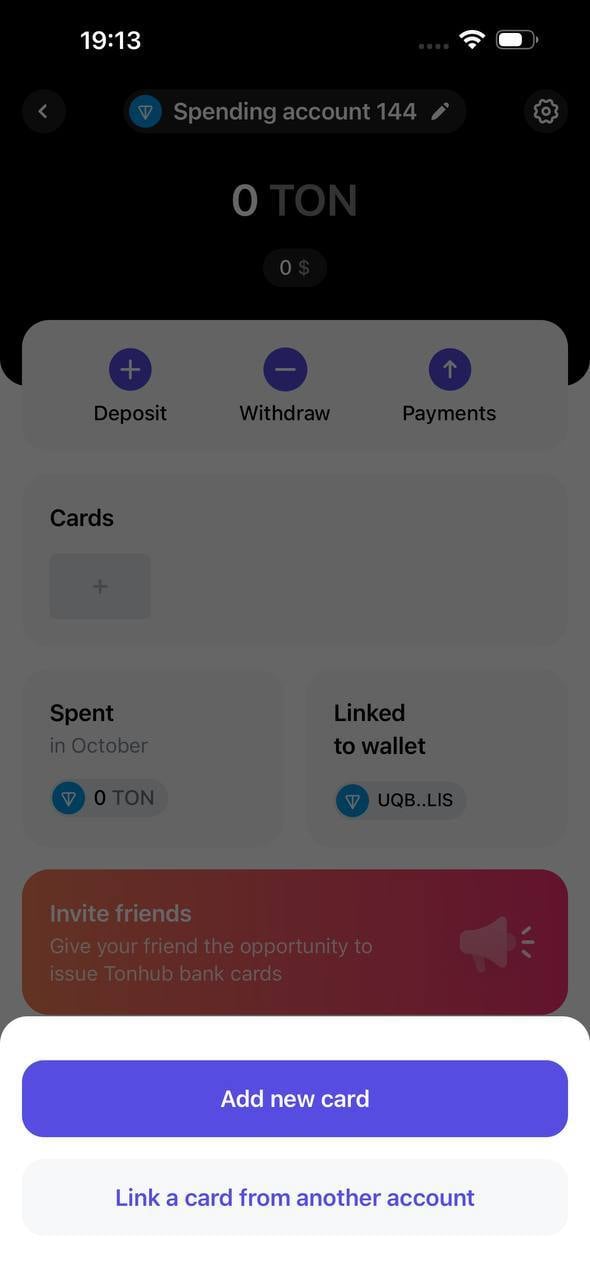
- In the target account interface (to which the card needs to be transferred), the user clicks the ”+” button, then selects “Link a card from another account”
-
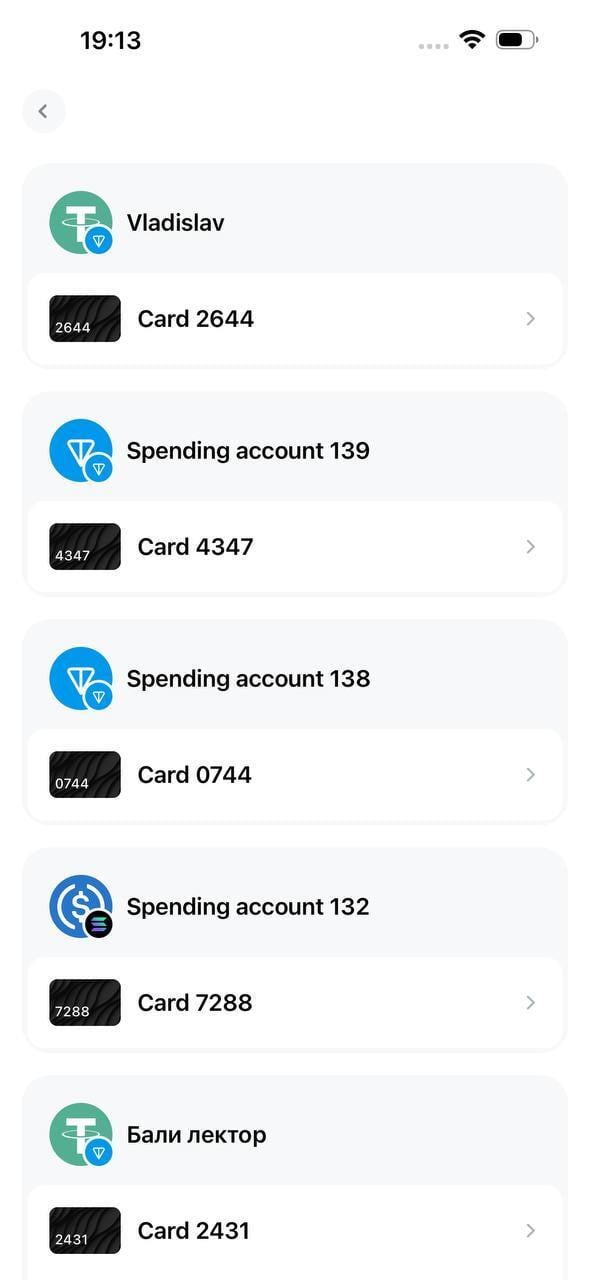
In the opened menu, the user selects the card they want to transfer
Adding Card to Contactless Payment Systems
Cards can be added to various contactless payment systems such as:- Apple Pay - adding is available directly from the wallet application where Holders is installed or manually in the Apple Wallet application.
- Google Pay - adding is available directly from the wallet application where Holders is installed or manually in the Google Wallet application. Instructions for adding a card to Google Pay.
- Garmin Pay - adding is available manually in the Garmin application.
- Samsung Pay - adding is available manually in the Samsung Pay application.
- Fitbit Pay - adding is available manually in the Fitbit application.
- Fidesmo Pay - adding is available manually in the Fidesmo application.